Introduction
Every growing business eventually hits the same fork in the road: keep bending your team's workflow to fit Salesforce, or invest in software that actually reflects how you work. It's not a simple licensing question.
This decision touches adoption, implementation time, integrations, data ownership, and how dependent you become on one admin or engineer. It also determines how painful and expensive it is to change course later.
Salesforce holds a 4.4 out of 5 rating across 23,434 reviews on G2's Fall 2025 CRM grid, spanning small businesses, mid-market firms, and enterprises. That popularity doesn't mean it fits every workflow.
This article breaks down where Salesforce makes sense, when a custom CRM earns its cost, and when a hybrid model is the smarter long-term bet for a growing US business.
Key Takeaways
- Salesforce wins for mature platforms, broad integrations, and fast deployment of standard sales or service processes.
- A custom CRM earns its cost when your workflow is genuinely different or workarounds are routine.
- Compare three-to-five-year total cost of ownership, not just licenses versus build price.
- Custom software isn't automatically cheaper — it demands ownership, documentation, and a maintenance plan.
- A hybrid model keeps Salesforce for standard sales work and adds a custom layer where it doesn't fit.
Salesforce vs Custom CRM: Quick Comparison
Time to Value
Salesforce's own implementation guidance suggests small-business rollouts can move in a matter of weeks when scope stays tight. Custom builds take longer by design: discovery, design, development, testing, and migration all happen before go-live.
A 2026 developer estimate from Raftlabs puts a defined custom CRM MVP at 10 to 16 weeks of development, after a separate discovery phase. That scope typically covers contacts, pipeline, activity log, notes, email integration, and basic reports.
A phased MVP approach narrows that gap by shipping the highest-friction workflow first instead of rebuilding every CRM feature at once.
Total Cost of Ownership
The license fee is the smallest line item in either decision. Here's what actually belongs in a real TCO model:
| Cost category | Salesforce | Custom CRM |
|---|---|---|
| Starting cost | Per-user, per-month subscription | One-time development spend |
| Implementation | Partner or in-house configuration | Discovery, design, build |
| Ongoing | Admin time, add-ons, renewals | Hosting, maintenance, support |
| Growth | Pricing tied to editions and seats | Feature work scoped as needed |
| Migration | Data export tied to platform terms | Full control, but your responsibility |
Salesforce's 2025 pricing update raised Enterprise and Unlimited edition list prices by an average of 6%, effective that August, while Starter and Pro editions were excluded from the increase. That kind of mid-contract shift is exactly why a one-year license comparison undersells the real decision.
Workflow Fit
Salesforce handles standard lead, account, opportunity, service, and marketing workflows well. Its data model assumes a fairly conventional sales pipeline.
A custom CRM represents your actual logic directly: specialized quoting, multi-party onboarding, scheduling, contract terms, or billing structures that don't map cleanly onto Salesforce's objects.
Scalability and Flexibility
Salesforce's ecosystem supports growth without much friction. Its marketplace, hiring pool, and platform updates make expansion easier, though heavy customization inside Salesforce can add its own complexity over time.
Custom software scales around your roadmap instead of a vendor's. That flexibility depends entirely on the architecture quality and the team maintaining it.
Ownership and Dependency
With Salesforce, you own your records but depend on the platform's pricing, roadmap, APIs, and export tools. With a custom CRM, you own the code, the data, and the roadmap, along with the responsibility for running it.
What Salesforce and a Custom CRM Offer
Salesforce
Salesforce is a managed CRM platform. It fits best when your customer-facing process broadly matches standard sales, service, marketing, and account-management patterns.
Operational benefits include:
- Prebuilt integrations across common business tools
- Established security and administration practices
- Built-in reporting and automation
- A large pool of trained implementation partners and administrators
Salesforce starts to feel like an expensive fit when teams build repeated spreadsheet workarounds, stack excessive custom objects and flows, or re-enter the same data across disconnected systems. One underused warning sign: a single admin becomes the only person who understands how the instance works.
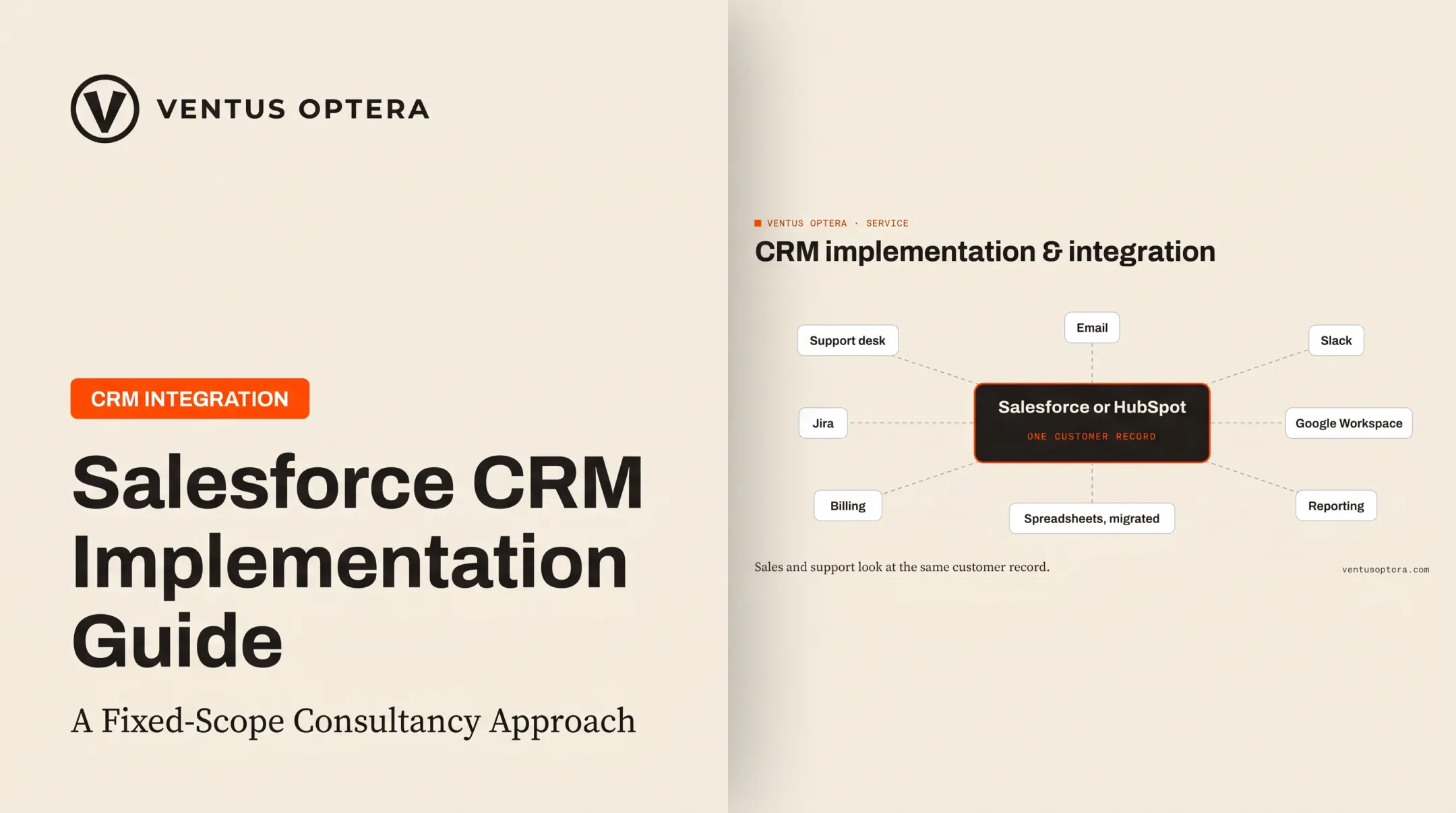
Ventus Optera's Salesforce and HubSpot implementations often start here. The work moves data out of spreadsheets and legacy systems, then connects the platform to tools like Jira, Slack, email, and Google Workspace so sales and support share one customer record.
Custom CRM
A custom CRM is software designed around your specific data model and workflows, not a configurable instance of a general-purpose platform.
In practice:
- Fewer manual workarounds
- Centralized account and contract information
- Dashboards tailored to the questions your team actually asks
- Direct integration with the systems you already run
Ownership matters here because you control the roadmap, the data structures, and every long-term technology decision. That control comes with real tradeoffs:
- Larger upfront investment
- Delayed initial value compared to a configured platform
- Full responsibility for security, maintenance, and documentation
- Dependence on a capable internal team or a reliable software partner
"Custom CRM" doesn't have to mean rebuilding everything. It can mean a focused operational layer: a portal, a dashboard, or an integration built around the workflow causing the most friction, while an existing platform handles everything else that already works.

Salesforce vs Custom CRM: What Is Better?
Neither option wins by default. Workflow fit, how fast you need to move, scale, ownership goals, and the cost of staying put decide it. Use the filters below.
Choose Salesforce When
- You need a dependable CRM quickly, and work already fits lead, account, opportunity, or service patterns.
- You value a broad integration ecosystem and easy access to trained administrators.
- Your team cannot own a production software product and prefers a recurring platform fee for managed infrastructure.
Salesforce's customer lookbook cites KCH Transportation, which chose Sales Cloud Enterprise Edition plus AppExchange integrations to unify customer records split across systems. That is standard-process fit driving a platform choice.
Choose a Custom CRM When
- Your real work happens outside a conventional sales pipeline — complex quoting, multi-party relationships, scheduling, or operational case handling.
- Employees routinely copy information between Salesforce, spreadsheets, email, and other tools because the CRM doesn't represent the actual workflow.
- You need a proprietary data model, specialized permissions, or roadmap control — and you can fund ongoing ownership.
License savings alone are not a reason to build. Fit is the business case.
Consider a Hybrid Approach When
Salesforce can hold standard pipeline records while a separate custom app runs the operational process it was never built for. A portal, integration layer, or automation service often clears the bottleneck without replacing the CRM.
Before approving a hybrid architecture, define:
- System of record for each data type
- Ownership of every data object
- API and integration responsibilities
- Permissions and monitoring
- Failure handling when a connection breaks
Decision Checklist
- Map the current workflow from lead through billing. Mark every spreadsheet, manual handoff, and approval delay.
- Separate must-have capabilities from platform familiarity and nice-to-haves.
- Build a multi-year TCO model with real user counts, headcount growth, and integration costs.
- Name the person or team responsible for data quality, security, and post-launch improvements.
- Run a limited validation — prototype the riskiest workflow and measure whether it actually removes the friction.

Real-World Examples and Decision Signals
Standard-process fit and true custom need both show up in real deployments.
Boston Dynamics runs support on a connected stack, not a Salesforce silo. Four systems feed one front door for public visitors, customers, and partners:
- Salesforce for support cases
- Jira for engineering fixes
- Docebo for training
- Paligo for documentation
Customers can read an article, file a case, and enroll in training without leaving the product: four systems in, one front door, three audiences out. That is Salesforce working as part of an ecosystem.
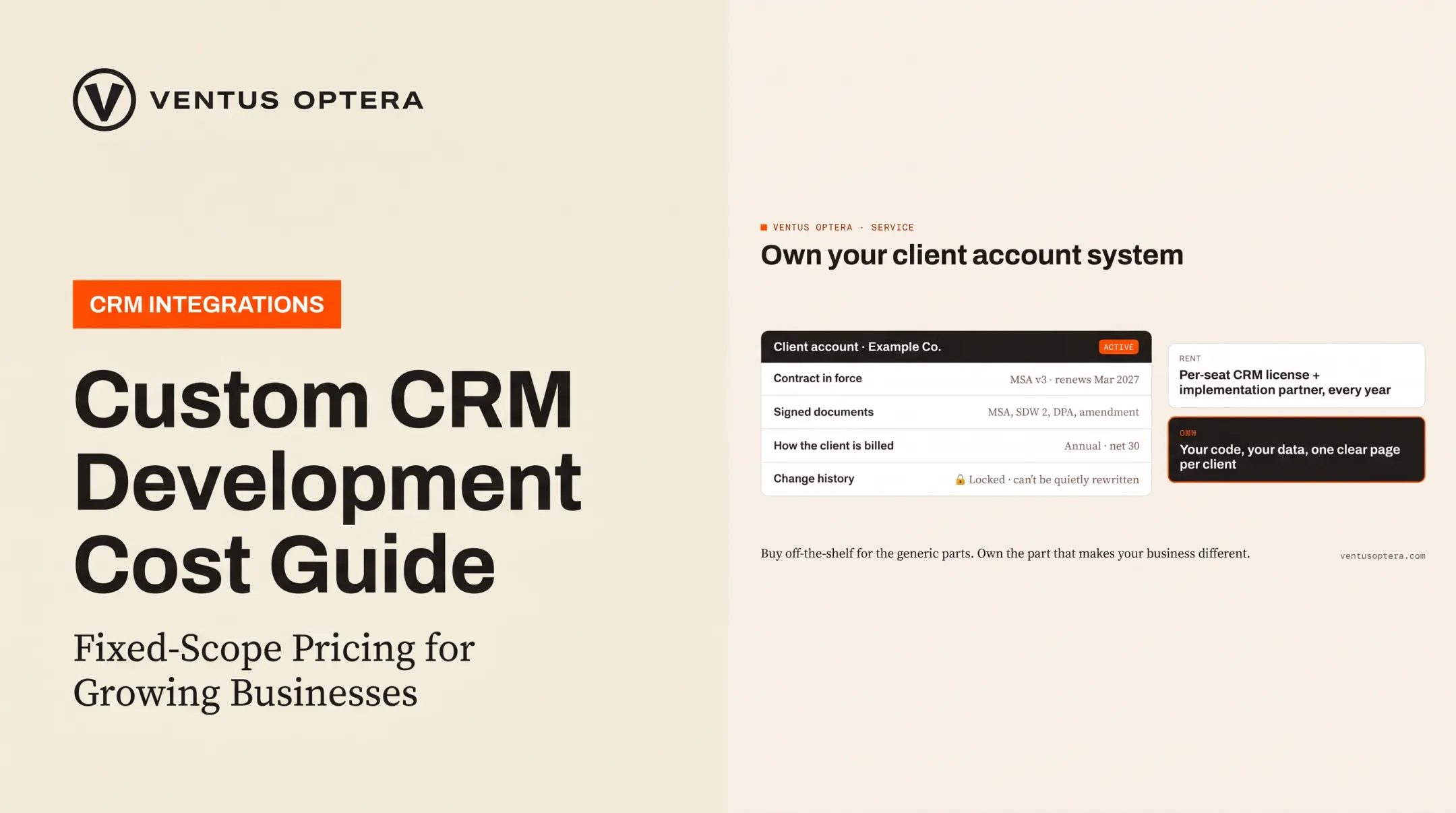
A different signal showed up at a cybersecurity firm in 2026. Contracts lived in inboxes, shared drives, and spreadsheets. The CEO priced a CRM license plus an implementation partner, then chose to own a custom client-account and contract system instead.
At rollout it held 31 client accounts and hundreds of contacts on a single page, including:
- Active contract and signed documents
- Billing terms
- Change history that even an administrator cannot quietly rewrite
Watch for the failure pattern in the other direction: custom software with no long-term owner, or a Salesforce org so over-customized that nobody fully understands it. Both end the same way: a system nobody can maintain, migrate, or trust.
Ventus Optera’s AI opportunity assessment is built for that buy-vs-build fork. Founder Michael O’Brien spent a decade in operations at Uber, iAdvize, and Boston Dynamics before starting the Brookline-based consultancy.
The firm maps existing workflows (including the spreadsheet a team cannot retire) and ranks fixes by ROI before anyone commits to buying or building. If you are unsure whether to buy, build, or combine systems, settle that question with an independent workflow and CRM assessment before a build gets scoped too early.

Conclusion
Salesforce is usually the stronger investment when speed, ecosystem breadth, and standard CRM workflows matter most. A custom CRM is stronger when operational fit, ownership, and a genuinely different process justify the added responsibility.
The best long-term system is the one your team trusts and uses every day—not the longest feature list or the lowest sticker price.
Before you commit:
- Model total cost over three to five years
- Document your real workflow, not the one you wish you had
- Test your riskiest assumption
- Decide whether you need a platform, a custom layer, or a carefully scoped replacement
Frequently Asked Questions
How much does a custom CRM cost?
Cost depends on scope, integrations, data migration, security, and ongoing support. A 2026 developer estimate puts a defined MVP at $40,000–$80,000 and a fuller multi-integration platform at $80,000–$120,000, based on specific feature assumptions.
Is there a better CRM than Salesforce?
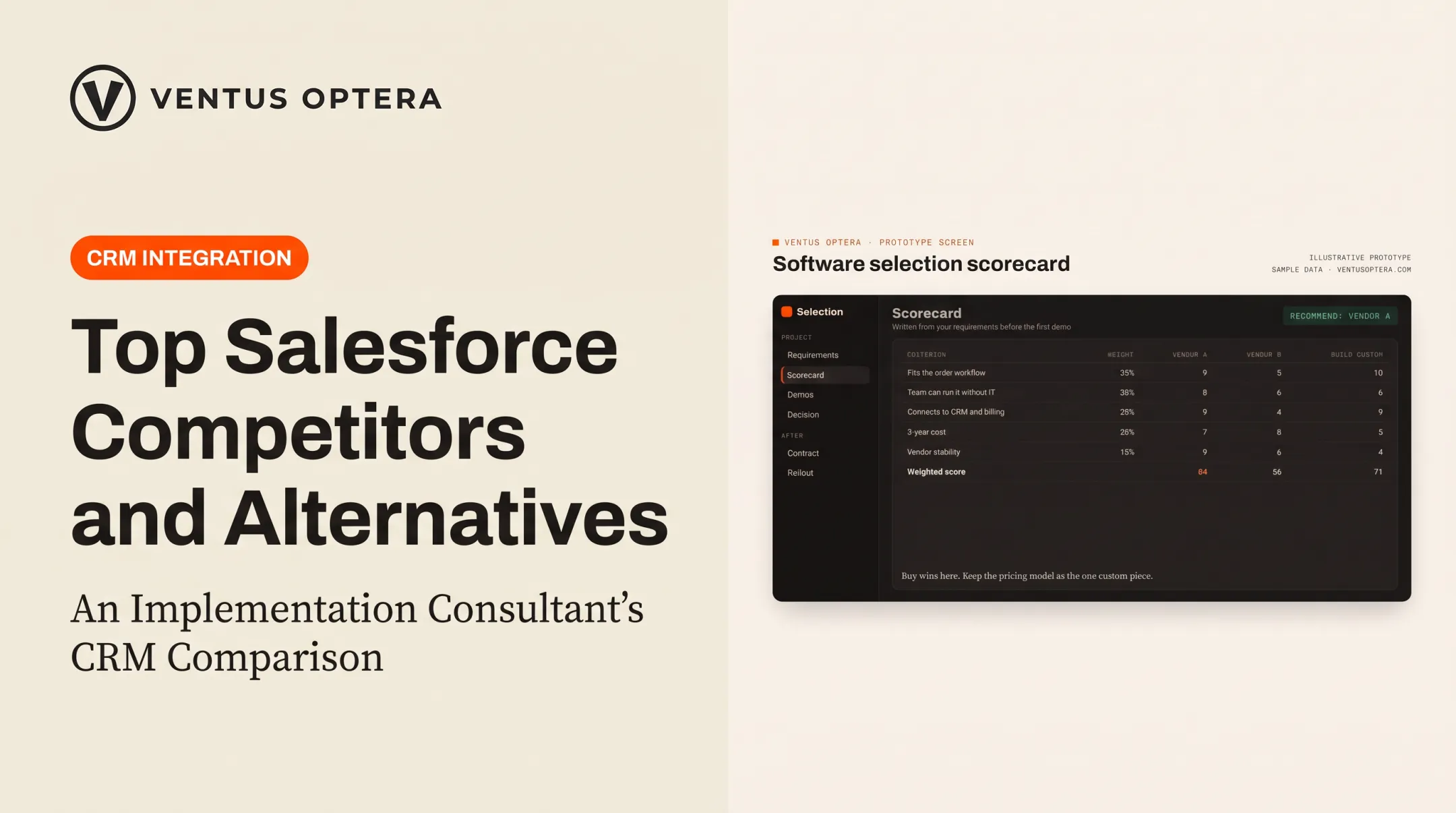
"Better" depends on workflow fit, team size, integration needs, and ownership goals. A lighter platform, a custom system, or a hybrid setup can outperform Salesforce for specific operational needs, even though Salesforce remains a strong generalist choice.
Will AI replace Salesforce CRM?
AI is more likely to change how CRM data gets used than to eliminate CRM platforms. Gartner forecasts that by 2029, agentic AI could autonomously resolve 80% of common customer-service issues. That is a workflow shift, not the end of the system of record.