Growing businesses feel this pressure acutely. You've outgrown spreadsheets, but a poorly chosen ERP can create more chaos than it solves: bloated implementation costs, disrupted daily operations, and a vendor contract that's nearly impossible to exit.
The numbers back this up. In Panorama Consulting Group's 2026 ERP Report, more than a quarter of 170 respondents said their enterprise software project exceeded budget. The most common reason? An unexpected need for additional technology nobody planned for.
This guide breaks down the exact criteria to evaluate an ERP system objectively, before you sign anything.
Key Takeaways
- Match software to process, not the other way around; workarounds signal a bad fit.
- Total cost of ownership exceeds the subscription quote once you add implementation, training, and customization.
- Integration capability determines whether your tools talk to each other or create new data silos.
- A structured checklist beats a polished vendor demo every time.
- Revisit build vs. buy as your business scales; it isn't a one-time decision.
What Is an ERP System?
Enterprise Resource Planning (ERP) software is a centralized platform that connects core business functions—finance, operations, supply chain, and sales—onto a single source of truth. Instead of five disconnected tools feeding five different spreadsheets, everyone works from the same data.
Modern ERP comes in three deployment models:
| Deployment Model | What It Means | What to Assess |
|---|---|---|
| Cloud/SaaS | Vendor hosts and manages the system remotely | Subscription terms, uptime, vendor dependency |
| On-premises | Runs on your own servers | Infrastructure cost, internal IT burden |
| Hybrid | Mix of cloud and local systems | Integration complexity between environments |
Which model you choose matters less on day one than whether the modules share one database. That shared data layer is what separates a real ERP from a bundle of disconnected apps.
Core Components of an ERP
An ERP runs on interconnected modules that share one database instead of operating in isolation. Three components form the backbone of nearly every system:
- Financial and accounting management: General ledger, accounts payable/receivable, billing, and compliance tools that keep the books accurate and audit-ready.
- Supply chain and inventory operations: Procurement, inventory tracking, order fulfillment, and logistics working together for end-to-end visibility.
- Data integration and reporting layer: Centralized databases, automated APIs, and BI dashboards that eliminate the need for someone to manually reconcile three spreadsheets every Friday.
Benefits of ERP Systems in Modern Operations
When those modules share live data, the operational gains show up fast. In an Oracle cloud ERP case study, Adelante Healthcare in Arizona cut financial reporting from days down to about an hour.

Typical operational benefits include:
- Cut manual data entry across departments
- Remove dependency on disconnected spreadsheets
- Speed up financial reporting with fewer errors
- Smooth handoffs between sales, finance, and operations
- Reduce duplicate records and reconciliation work
What to Consider When Choosing the Best ERP System
Evaluation criteria shift depending on your industry's complexity and company size. A 20-person manufacturer and a 20-person SaaS company need wildly different things from an ERP.
The goal is connecting a technical feature list to measurable business outcomes, not just checking boxes on a vendor's spec sheet.
Functional Fit and Core Process Alignment
The system must support your actual day-to-day workflows out of the box. If your team needs workarounds on day one, that gap only grows as you scale.
Gartner forecasts that by 2027, more than 70% of recently implemented ERP initiatives won't fully meet their original business-case goals, with some failing outright. Poor functional fit is a leading driver.
Metrics to watch during evaluation:
- Order processing cycle time
- Data entry error rates
- Number of manual workarounds required per week
Run a scripted demo using your own data, not the vendor's polished sample dataset.
Total Cost of Ownership (TCO) and Scalability
The subscription quote is never the real cost. True TCO includes implementation fees, customization work, training, data migration, and ongoing maintenance.
Nucleus Research's analysis of 14 ERP deployments found organizations recouped their investment in 16 months on average, with over 200% ROI. That's a historical finding from a small cohort, not a guarantee, but it shows why a rigorous ROI calculation matters more than the sticker price.
Key financial metrics to model:
- Payback period
- Net ROI over three years
- Annual software expense predictability, including per-seat scaling costs
Integration Architecture and API Capabilities
Your ERP doesn't operate alone. It needs to talk to your CRM, payment gateway, marketing tools, and any specialized internal systems you've already built.
Gartner's integration research flags synchronizing master data across distributed systems as a recurring pain point, and warns that connecting ERP to legacy applications can require costly middleware. Before you sign anything, evaluate:
- Data synchronization latency between systems
- Cross-platform reporting accuracy
- Ongoing IT maintenance overhead for custom connectors
Customization Boundaries vs. System Ownership
Heavy proprietary customization during implementation feels like a solution. It's often a trap. Gartner's current guidance pushes toward decoupled extensibility, keeping a stable core while isolating custom work so upgrades don't break everything.
Ask whether your unique processes genuinely require a tailored extension, or whether a smaller, purpose-built tool outside the ERP would be more durable. Metrics affected here:
- Upgrade downtime
- Long-term software agility
- Accumulated technical debt
True Workflow Automation vs. Surface-Level AI
Every vendor now claims "AI-powered" everything. Most of it is marketing. Real automation triggers a specific action inside an actual workflow, such as an approval, a reconciliation, or a data sync. It also shows you the exception path when something goes wrong.
Ask vendors to demonstrate: the triggering record, the automated decision, the human override, and the final result. If they can't show that live, it's not automation. KPIs to track:
- Employee task completion hours
- Manual reconciliation time
- Workflow throughput per week
Vendor Support, Implementation Roadmap, and References
Before signing, audit the implementation timeline, SLA terms, and training structure. Talk to actual reference customers, not the two hand-picked ones the vendor offers.
Panorama's 2026 report lists a nine-month median project timeline among its respondents, with nearly a quarter running over schedule. Build that reality into your planning. Metrics to track post-launch:
- Time-to-value (TTV)
- User adoption rate in the first 90 days
- Support ticket volume after go-live

How Ventus Optera Can Help
Ventus Optera helps growing businesses and founders evaluate complex software purchases through an independent, operational lens, with no vendor paying for the recommendation.
Founder Michael O'Brien spent a decade in operations roles at Uber, iAdvize, and Boston Dynamics, building the systems behind large-scale support, logistics, and fleet operations. That background shapes how he evaluates whether a company should buy an ERP, configure one it already owns, or build something custom.
What sets the approach apart:
- Independent build vs. buy assessments that recommend the cheapest fix that actually lasts
- Custom software and CRM/ERP integrations tailored to the exact workflow when off-the-shelf tools fall short
- Full client ownership of all custom software, data pipelines, and architecture built during the engagement
- Practical AI-enabled automation that improves team efficiency without adding tool bloat nobody asked for
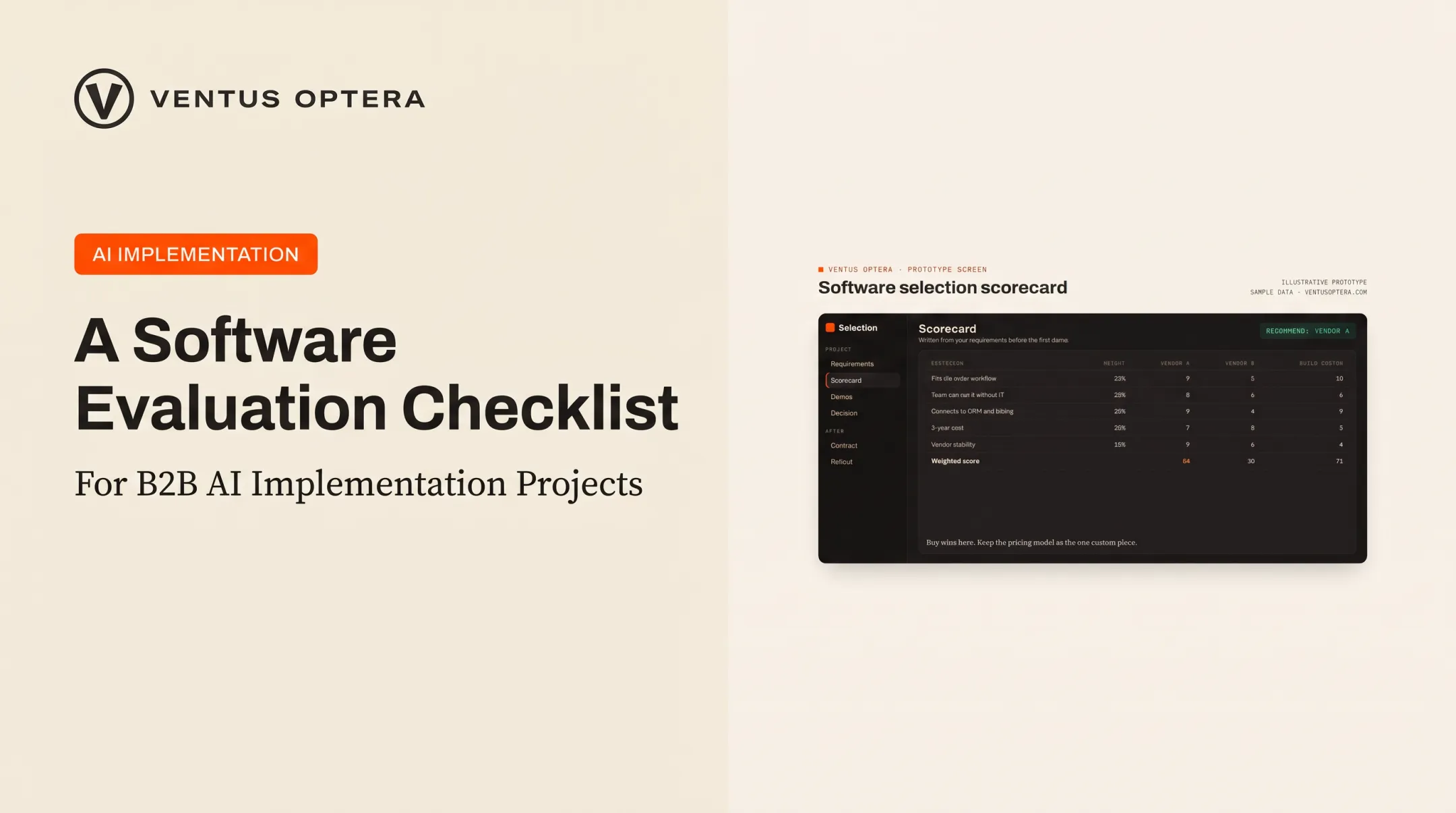
One recent engagement involved reviewing a 16-platform software stack for a Boston nonprofit sailing school, sorting each tool into keep, merge, or replace. That's the same scorecard-first process applied to any ERP decision: requirements documented before the first demo, every option scored against that list.

Conclusion
The right ERP decision comes from testing actual workflows against a documented checklist, not from how impressive a vendor's demo looked. A software choice is often a three-year commitment made during a six-week sales cycle. That mismatch is exactly why structured evaluation matters.
Choose the system that fits your operational priorities and growth targets today, not the one with the longest feature list. Revisit that fit periodically. The right ERP for a 15-person team looks different at 50 people, and evaluation should be an ongoing process, not a one-time purchase decision.
Frequently Asked Questions
How do you evaluate an ERP system?
Start with business requirements, then issue targeted RFPs, run demos on your own data, calculate total cost of ownership, and check references from similar organizations before you sign.
What is an ERP evaluation?
A structured assessment that compares ERP platforms against functional, technical, and budget criteria before you buy—not a decision based on vendor pitch decks alone.
What's the difference between ERP and SAP?
ERP is the software category for enterprise resource planning. SAP is one vendor inside that category, with products used across finance, supply chain, HR, and related operations.
What are the 7 steps for successful ERP implementation?
Common stages include project planning, system design, data migration, customization and configuration, rigorous testing, employee training, and post-go-live support. Some frameworks compress this into five or six phases.
What are the 5 components of ERP?
A practical breakdown includes hardware or cloud infrastructure, software application modules, a unified centralized database, automated business processes, and trained end users operating the system.
What does ERP stand for?
Enterprise Resource Planning. The term traces back to manufacturing resource planning systems from the 1980s, with Gartner credited for coining "ERP" by 1990 as the category expanded beyond manufacturing.