Salesforce built its reputation on a simple promise: one place for every customer record, every sales conversation, every support ticket, and every marketing touchpoint. For a lot of companies, that promise is genuinely worth the price tag.
But breadth isn't free, and it isn't always necessary. Many businesses start researching Salesforce alternatives for the same handful of reasons: implementation takes longer than expected, administration eats up internal time, total cost of ownership climbs past the sticker price, or adoption never quite happens because the platform doesn't match how the team actually works.
Gartner's own 2025 research on CRM sales platforms points to this exact pattern — poor design, implementation, and adoption are the obstacles that keep companies from seeing returns, not the software's feature list.
This guide compares five leading Salesforce alternatives for different US business needs, and covers when a packaged CRM makes more sense than a lighter tool or a custom-owned system.
Key Takeaways
- Match the CRM to business size, sales process, tech stack, and internal technical capacity.
- Dynamics 365 fits enterprise needs; HubSpot, Zoho, Pipedrive, and Freshsales split on marketing, price, usability, and automation.
- TCO covers migration, implementation, admin, integrations, and training—not only the subscription.
- Pilot the workflow with real users and real data before committing to a long-term migration.
- When packaged CRMs need heavy workarounds, use targeted integrations or a custom-owned system.
Overview of Salesforce Alternatives in the US CRM Market
Salesforce is a cloud-based CRM platform built to manage customer data, sales activity, service cases, marketing processes, and reporting in one connected system. Most alternatives get measured against that baseline.

The US CRM market splits into a few distinct categories, and knowing which one you're shopping in narrows the decision fast:
- Enterprise CRM suites: sales, service, finance, and operations in one stack
- Marketing-led platforms: inbound demand, content, and CRM in the same system
- Sales-pipeline tools: lean boards built for deal velocity
- Affordable all-in-ones: wide feature coverage without enterprise pricing
- Service-focused products: support and customer success as the core
No single platform wins every deal. Match the category to how you sell, support, and report—then compare the five options below on fit, not hype.
Top Salesforce Competitors and Alternatives
Each option below was evaluated against the same criteria: product scope, likely business fit, ease of adoption, automation depth, integration ecosystem, reporting strength, scalability, and implementation burden. Pricing and feature availability change often, so verify current numbers on each vendor's official site before you commit.
Microsoft Dynamics 365
Dynamics 365 is the closest broad enterprise competitor to Salesforce. It bundles CRM capabilities with Microsoft's wider business application suite, which makes it an obvious fit for any organization already standardized on Microsoft 365, Teams, Outlook, or Power BI.
Gartner's 2025 Magic Quadrant for Sales Force Automation Platforms named Microsoft a Leader alongside Salesforce, confirming it as Salesforce's main enterprise rival.
Worth verifying before you buy:
- Modular product structure (Sales, Customer Service, Field Service, Customer Insights are often licensed separately)
- Copilot and other AI capabilities, and which tier unlocks them
- Native analytics through Power BI
- Workflow customization depth versus required technical resourcing
Dynamics 365 Sales lists three published tiers: Professional at $65/user/month, Enterprise at $105, and Premium at $150, all billed yearly. The jump from Professional to Enterprise is mostly about customization and AI access. Confirm which capabilities your team actually needs before upgrading tiers.
Comparison snapshot: Best for Microsoft-centered enterprises. Strengths: ecosystem integration, operational breadth. Limitations: setup effort, licensing complexity, and a real learning curve for smaller teams.
HubSpot CRM
HubSpot built its name as the accessible Salesforce alternative: strong for startups, SMBs, and any team that needs sales, marketing, content, and service workflows without a six-month onboarding process.
Core differentiators to verify:
- Inbound marketing tools alongside pipeline management
- Automation and reporting depth by hub
- Breeze AI Assistant, which HubSpot includes with every subscription at no added cost
- Onboarding speed relative to Salesforce or Dynamics
The free CRM covers up to two users and 1,000 contacts. Paid tiers scale quickly: Sales Hub Professional runs $90/seat/month with a required $1,500 onboarding fee, while Marketing Hub Professional starts at $800/month with a $3,000 onboarding charge.
Costs shift fast as contact volume and seat count grow, so price the specific hub and volume you'll actually use, not the entry number.
Comparison snapshot: Best for marketing-and-sales alignment with fast adoption. Strengths: integrated inbound ecosystem, approachable interface. Limitations: higher-tier costs climb quickly, and highly complex enterprise processes may outgrow it.
Zoho CRM
Zoho targets budget-conscious small and mid-size businesses that still want broad functionality, plus a path into a larger business software suite if they need one later.
What to check during evaluation:
- Lead and deal management depth
- Workflow automation and Zia AI capabilities (extended insights and predictions are gated to Enterprise tier)
- Links into Zoho One, the company's full application suite
- Interface complexity relative to your team's technical comfort
Zoho's pricing runs from free (up to three users) through Standard at $14/user/month, Professional at $23, Enterprise at $40, and Ultimate at $52, all on annual billing.
That's meaningfully cheaper than most competitors on this list, but affordability needs to be weighed against configuration effort and support requirements. A $14/month seat that takes three times longer to configure isn't actually the cheaper option.
Comparison snapshot: Best for businesses wanting broad functionality at controlled cost. Strengths: suite breadth, pricing flexibility. Limitations: configuration demands, possible gaps for advanced enterprise needs.
Pipedrive
Pipedrive is built around one thing: visual pipeline management. If your sales process is relatively linear and doesn't need deep service, marketing, or ERP functionality bolted on, this is worth a serious look.
Differentiators to verify:
- Drag-and-drop pipeline views and activity reminders
- Email and calendar sync
- AI-powered deal-win probability scoring and report creation
- Mobile access and integration depth
Pricing starts at $14/seat/month (Lite, billed annually) and scales to $79/seat for Ultimate. One detail worth flagging: add-ons are charged per company, not per user, which can change the math for larger teams fast.
Comparison snapshot: Best for lean, sales-led SMB teams prioritizing simplicity. Strengths: pipeline visibility, fast adoption. Limitations: less depth for cross-functional operations, advanced reporting, or enterprise-wide customer management.
Freshsales
Freshsales (part of Freshworks) suits startups and mid-size teams that want contact and deal management plus built-in communication (email, phone, and chat) without stitching together separate tools.
Core differentiators:
- Lead scoring and sales sequences
- Freddy AI for contact scoring, email drafting, and deal-risk insights
- Freshworks ecosystem connections for support and marketing
- Plan-dependent AI access (Freddy AI Agent is a separate add-on at $49 per 100 sessions)
Growth tier starts at $9/user/month, Pro at $39, and Enterprise at $59, all billed annually. Freshsales runs on a 21-day trial before you select a paid plan, so build that evaluation window into your timeline rather than assuming a permanent free tier exists.
Comparison snapshot: Best for teams wanting accessible sales automation with built-in engagement tools. Strengths: communication features baked in, productivity-focused design. Limitations: capabilities vary a lot by plan, and depth thins out for complex enterprise workflows.

How We Chose the Best Salesforce Alternatives
We scored representative options against the problems that push businesses to reconsider Salesforce: cost overruns, weak adoption, shallow fit, and heavy admin load.
Total cost of ownership matters more than the subscription line item. Capterra's 2026 pricing-model research breaks this into clear categories: setup and onboarding, data migration, integrations, training, and ongoing administration.
All of these add real cost beyond the advertised subscription, and skipping this math is how budgets blow past projections.
We also weighed:
- Workflow fit and adoption: how many steps does a routine task take? How much manual entry survives the switch?
- Technical fit: API depth, native integrations, data export options, and role-based access controls
- Scalability: can the platform absorb new teams, territories, or products without a disruptive rebuild?
- Vendor dependency: how much consultant reliance does ongoing operation require?
Those criteria only hold up in practice. Before committing to a migration, run a short pilot with real workflows and representative data. Track adoption rates, data quality, reporting continuity, and how reliably automations fire. A two-week pilot catches problems a sales demo never will.
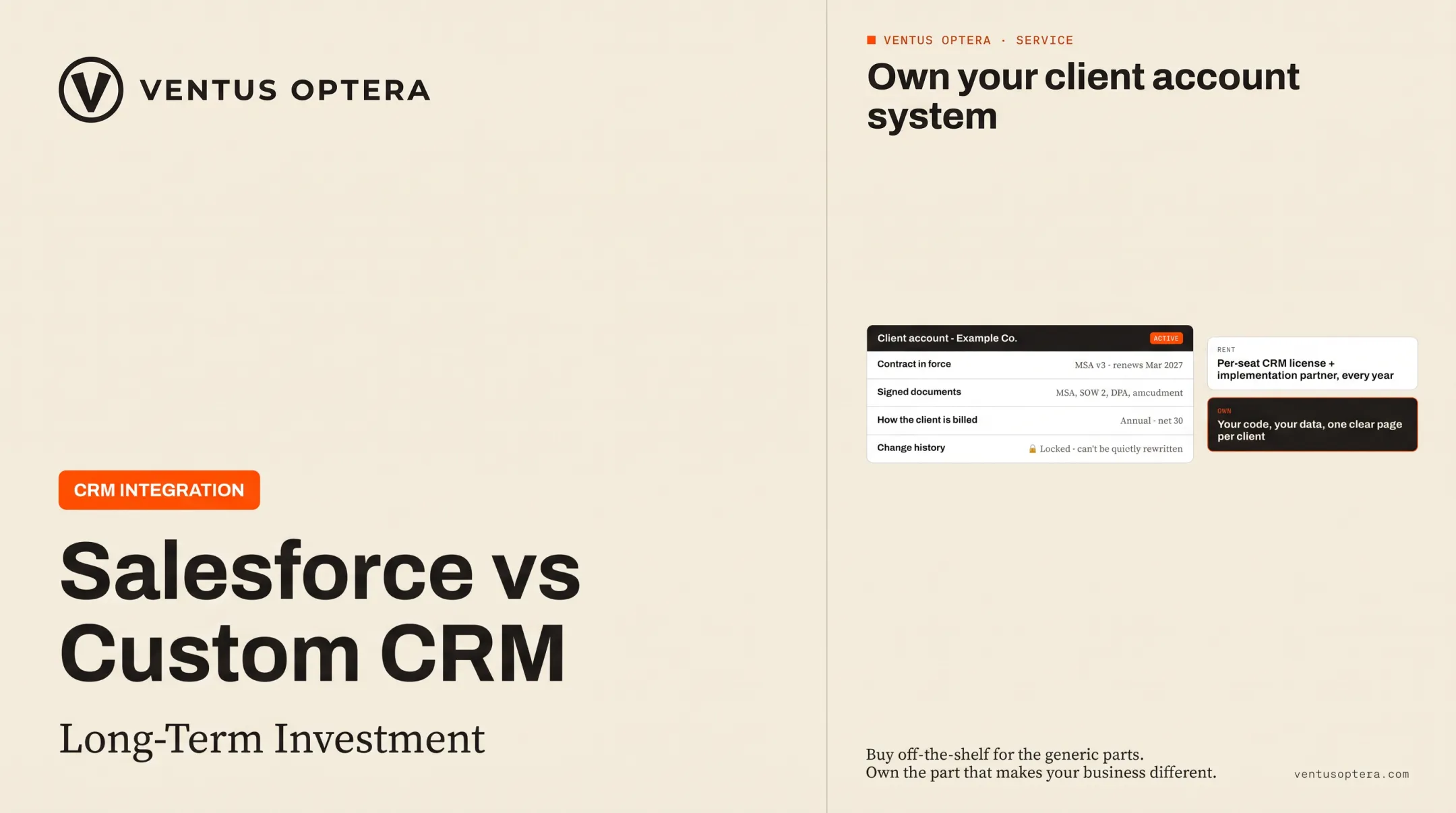
Companies that hire us for CRM implementation often come in after pricing a license plus an implementation partner and realizing the ongoing admin burden wasn't in the original budget. One cybersecurity client took that math and built an owned client-account system instead. It now holds 31 client accounts and hundreds of contacts on one page, instead of scattered across five different tools.

Conclusion
The right Salesforce alternative fits your actual operating model, not the longest feature list or the biggest brand name. A platform that looks impressive in a demo but adds five extra steps every time a rep logs a deal isn't a win, no matter what it costs.
Before you sign anything:
- Compare full ownership cost, not just subscription price
- Validate integrations and data portability upfront
- Bring in the people who'll use and administer the system daily. Their buy-in determines whether adoption happens at all
If you're unsure whether to buy a CRM, simplify an existing stack, integrate tools you already have, or build a targeted system you own, Ventus Optera runs independent workflow assessments focused on what actually lasts—not on selling a specific platform.
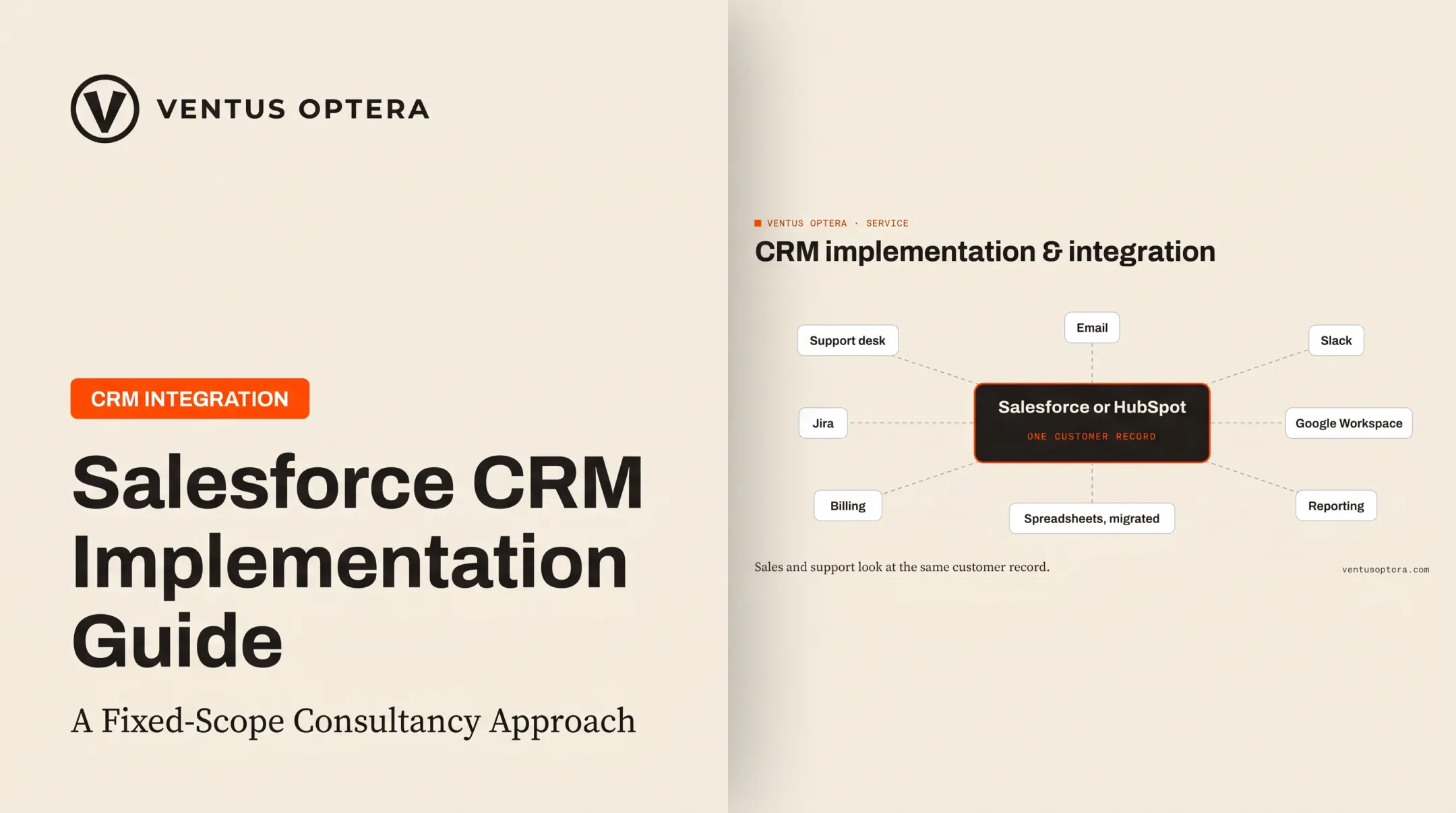
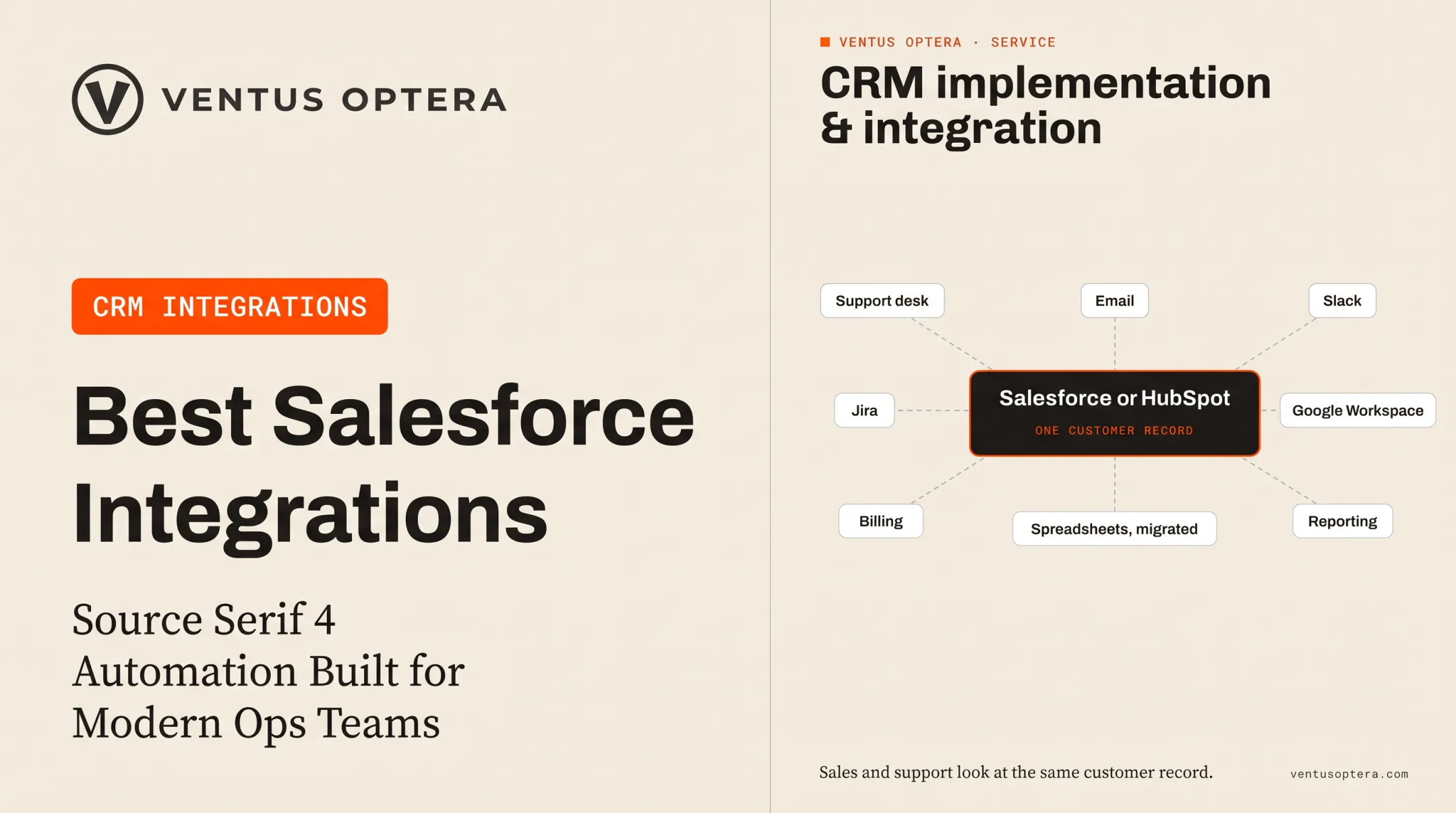
We've connected Salesforce and HubSpot to support desks, Jira, email, Slack, and Google Workspace for clients who needed one shared customer record without a wholesale switch. Sometimes that's the fix. Sometimes it's a custom system you own outright. The assessment tells you which path fits before you spend the budget.
Frequently Asked Questions
What is the best alternative to Salesforce?
It depends on size, stack, and budget. Dynamics 365 fits Microsoft-heavy enterprises; HubSpot fits marketing-sales alignment; Zoho, Pipedrive, and Freshsales fit leaner teams that need lower cost or faster setup.
Who is Salesforce's biggest competitor?
Microsoft Dynamics 365 is the closest broad enterprise competitor, named a Leader alongside Salesforce in Gartner's 2025 assessment. HubSpot, Zoho, and Pipedrive compete strongly in specific segments rather than head-to-head at the enterprise level.
Which CRM is best for small businesses?
HubSpot, Zoho, Pipedrive, and Freshsales all target smaller teams with lower entry costs and faster onboarding. Prioritize adoption speed, transparent total cost, integration depth, and room to grow over the lowest sticker price.
What are the top 3 CRM systems?
Salesforce, Microsoft Dynamics 365, and HubSpot are the three major platforms most buyers compare first, though "top" still shifts by segment. Smaller businesses often find Zoho, Pipedrive, or Freshsales a better practical fit.
Can AI replace Salesforce CRM?
AI can automate data capture, scoring, forecasting, and routine workflows, but it still needs governed customer data, defined processes, and human judgment. Even Salesforce's Agentforce 360 positions AI beside CRM infrastructure, not in place of it.
Is Salesforce a CRM?
Yes. Salesforce is a cloud-based CRM platform supporting sales, service, marketing, customer data management, automation, and reporting across connected business processes.